Karnataka RERA: How to verify Purva Cityspire
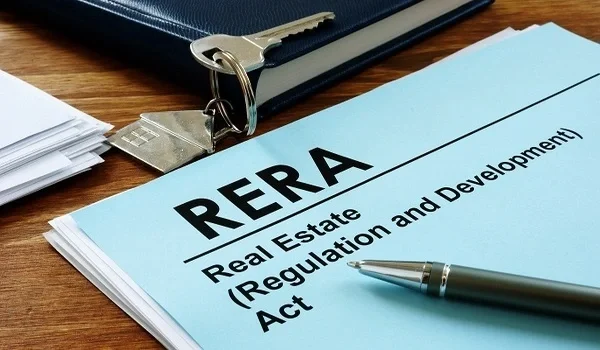
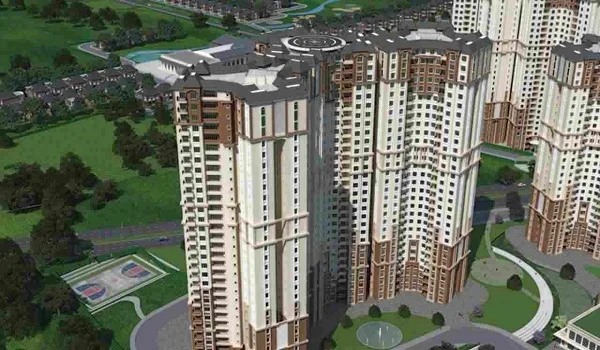
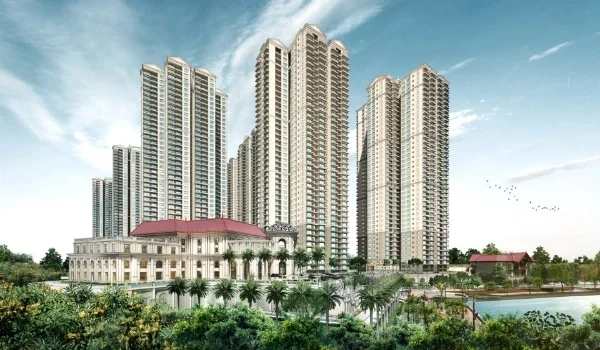
Verifying Purva Cityspire on Karnataka RERA begins by opening rera.karnataka.gov.in to check the 6-acre Bellandur plot filed by Puravankara Limited. This free state portal gives you direct access to true building plans, clean land records, and local safety approvals before you pay any money. The project has two tall towers with 35 and 38 floors and holds close to 500 homes near the Outer Ring Road. Checking these files on the web keeps your cash safe. It proves that the project obeys every single state real estate rule.
This simple check takes less than five minutes of your time. You do not need to trust glossy sales brochures. The state site shows you real title deeds, fire safety letters, and dedicated bank accounts. Doing this stops bad surprises and confirms real handover dates under state law.
Purva Cityspire is now in its pre-launch stage. That means its application is still under review by state officers. You can track this review from your phone or home laptop. Every home buyer should check these public files before signing a single paper. It gives you peace of mind and keeps your life savings secure.
Step-by-Step Guide: How to Verify Purva Cityspire on the State Portal
You can verify Purva Cityspire on rera.karnataka.gov.in by searching project records under the Bengaluru Urban district tab within two minutes. The state tool is open to the public day and night.
- Open the State Link: Type rera.karnataka.gov.in into your web browser.
- Find the Project Tab: Click Services at the top of the page. Then pick Project Status from the list.
- Type the Project Name: Enter Purva Cityspire in the name box. You can also type Puravankara Limited in the builder box.
- Choose the District: Select Bengaluru Urban from the drop-down list. This step filters out other towns quickly.
- Review the Live Status: Check if the file says Approved with a license code or Under Process for basic review.
- Save the Files: Click the project link. Download the site maps, land papers, and local NOC letters to your drive.
Purva Cityspire Details to Check on the Official Record
Cross-checking Purva Cityspire on the state registry links your flat layout to 6 acres of clear land and 2 approved high-rise towers. This quick test proves that sales claims match what the builder filed with the state.
| Project Metric | Builder Details | RERA File Check |
|---|---|---|
| Builder Name | Puravankara Limited | Matches the firm name on the legal land deed |
| Site Location | Bellandur, Outer Ring Road, Bengaluru | Matches the city survey map and Khata tax slips |
| Total Land Size | 6.00 Acres (261,360 sq. ft.) | Proves full plot rights with no missing bits |
| Tower Count | 2 Towers (G+35 and G+38 Floors) | Confirms safe floor height limits set by the city |
| Total Flat Count | Close to 500 Flats | Matches city water and power supply limits |
| Flat Sizes | 1, 2, 3, and 4 BHK (700 to 3,200 sq. ft.) | Shows real carpet space instead of super built-up area |
| Open Space | 55% Green and Open Area | Confirms green zone rules and wide side paths |
| Clubhouse Area | 20,000 sq. ft. Facility | Confirms true indoor amenities on the layout map |
| Handover Date | 4 to 5 Years After Approval | Confirms the final delivery date sworn under oath |
Legal Papers to Open and Read in the Project File
The official Purva Cityspire dossier holds five core legal papers that override verbal promises and secure your home rights under state law. These files show if the land is free of bank debt or legal fights.
- Title Deed and Encumbrance Form: This proves that the builder owns all 6 acres in Bellandur. It also proves the land has no court stays, family claims, or hidden bank loans.
- Approved Floor Layout Map: This shows the legal blueprint for the 35- and 38-floor towers. It confirms that room sizes and open borders follow city planning laws.
- Fire and Height Clearance Letters: These prove that the local fire force and the airport team cleared both tall towers for safety.
- Project Bank Account Details: This file names the exact bank branch and account number for the project. By law, the builder must keep 70% of all buyer cash in this account to pay for site work.
- Sample Sale Agreement Draft: This lets you read the contract draft early. It helps you make sure the builder uses fair terms and standard penalty rules for any delay.
How to Track the Purva Cityspire Application Review
Tracking Purva Cityspire on the state review list lets you follow pending municipal papers across 500 units before final sales open. The state posts live notes as officers review each file.
- Check the Scrutiny Sheet: Open the list of new project applications. Here you can see if officers have asked for extra land maps or water approvals.
- Spot the Final Number: Once approved, the state gives the project a code like PRM/KA/RERA/....
- Read Quarterly Updates: Once work starts, the builder must post reports every three months. These show flats sold, floors built, and cash spent.
- Check Past Builder Work: Click the builder profile to see their past delivery track record and any active cases across Karnataka.
What Home Buyers Must Check Before Paying Any Cash
Checking your Purva Cityspire flat on the state portal prevents loss of your 10% booking advance and locks in your exact carpet area. A few basic rules keep you out of trouble when buying pre-launch property.
- Never Pay Over 10% Early: The law says builders cannot take more than 10% of the flat cost before they get a full RERA license.
- Check the Carpet Area: Look at the net usable room floor area in square feet. Pay only for the space inside your own walls.
- Ask About Bank Approvals: Top banks check the RERA file on their own before they clear home loans for a site.
- Link Cash to Work Milestones: Make sure each payment matches real site work, like the basement slab or roof casting, instead of simple calendar dates.
FAQs
Purva Cityspire is in its pre-launch stage with its file under review by Karnataka RERA, and the final license code will appear on rera.karnataka.gov.in once passed.
The law says builders cannot collect more than 10% advance cash or sign binding sales deals before the project gets an active RERA number.
Search the project on the state portal and open the Encumbrances tab to see if any bank loan or debt is tied to the 6-acre plot.
Download the approved floor plan from the state website to see the net usable room size for each 1, 2, 3, and 4 BHK flat.
Open the builder's affidavit on the state portal to see the exact bank branch and dedicated RERA account number used for site construction funds.